 Radeon Profile Tool, or RadeonPro for short, is a free, user friendly utility designed to unleash the power of AMD™ Radeon™ video graphics cards. RadeonPro applies user defined profiles upon game start, just define once the desired 3D settings for each game and have all those settings applied every time you play, automatically!
Featuring basic 3D controls found on Catalyst Control Center plus exclusive controls like advanced V-Sync control and post-processing based anti-aliasing like SMAA, RadeonPro can help on fine tuning of your games making them look better and also feel better and smoother through the use of Dynamic V-sync Control (DVC) and Dynamic Frame rate Control (DFC). RadeonPro can also help Crossfire users to force multi-GPU utilization in games not supported by the driver, improving your games performance with a few clicks.
Other exclusive RadeonPro Features include support for OSD functions making possible to monitor your system with GPU information displayed right on your screen while you’re gaming. You can also take screenshots or record Movies of your games with the press of a key to register your gaming moments, benchmark your games, apply post processing effects like SMAA, FXAA, Ambient Occlusion and SweetFX with full support for 64-bit games. All in one free tool!
Sounds good? Download RadeonPro now and take your games to the next level!
It’s been about 5 years since RadeonPro made its way to the internet, initially as a simple tool designed to automatically apply Catalyst Control Center settings based off of the game being played, something that Catalyst lacked at time. Tons Continue reading →

Heya guys, I have some fresh news to share with you – I just joined Raptr development team and I’m really happy and excited about this new mission! Raptr also powers AMD Gaming Evolved App and you all already know Continue reading →

Possibly the most antecipated Catalyst driver is now ready for download! Catalyst 14.1 Beta includes Mantle API support giving Battlefield 4 some nice performance boost for R9 290/R9 290X users. What Mantle does Mantle is the harmony of three essential Continue reading →
Catalyst 13.11 Beta 9.2 with includes improved anti-aliasing performance and an updated CrossFire™ profile for Call of Duty®: Ghost is available for download. It includes all previous fixes found on 13.11 Betas and it’s ready for newest games including the Continue reading →
This build adds support for AMD Radeon R Series. Besides the support for R Series, it’s still based on RadeonPro 1.x so there’s no improvements compared to 13/Mar build. Download it from here: http://downloads.radeonpro.info/RadeonPro_Preview_R.exe Please leave feedback in comments. This Continue reading →
First of all, for you guys expecting a fresh new RadeonPro to play with, my apologies as I couldn’t deliver it just yet… please read on to know why. In late August I’ve made an announcement about the upcoming new Continue reading →
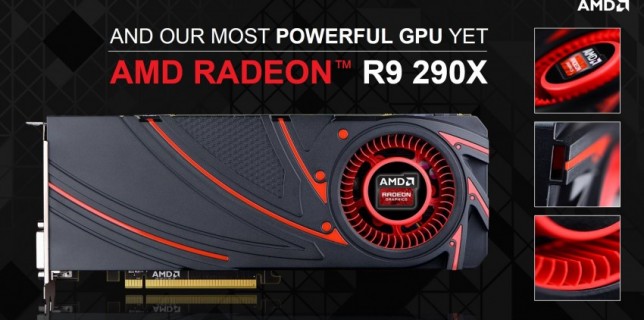
AMD announced the new R7 and R9 series last month, September 25th at GPU 14 event in Hawaii, but only today we’re given the pleasure to see their newer flagship video card in action: The AMD Radeon R9 290X. Under Continue reading →
Catalyst 13.10 Beta 2 is ready, including all previous fixes and it’s ready for newest games including the very antecipated Battlefield 4 Exclusive Beta started today Oct 1st, and for the Open Beta starting at Oct 5th. Feature Highlights of Continue reading →
A fresh new beta, an improvement of previous Catalyst 13.8 Beta 2 with Frame Pacing feature, is now available for all Radeon video cards starting at series 5000, including mobile chips. This set also features Windows® 8.1 support, which previous Continue reading →
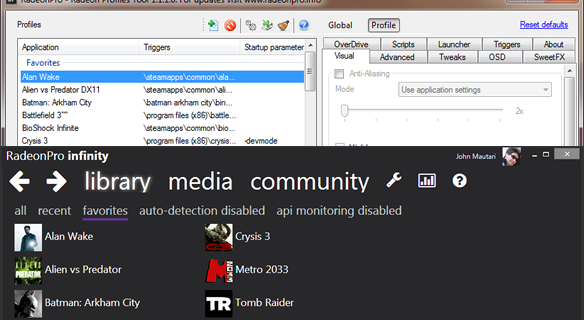
RadeonPro has not been updated since April release, but it’s for a good reason! Since June I’ve started developing the next RadeonPro, a major update to the almost 3 years old tool. Curious about what to expect from infinity? Read Continue reading →

 Radeon Profile Tool, or RadeonPro for short, is a free, user friendly utility designed to unleash the power of AMD™ Radeon™ video graphics cards. RadeonPro applies user defined profiles upon game start, just define once the desired 3D settings for each game and have all those settings applied every time you play, automatically!